Showing posts with label Keyboards. Show all posts

Wednesday, November 19, 2014

Service Review: Get in on Deals and Rare Finds on Massdrop


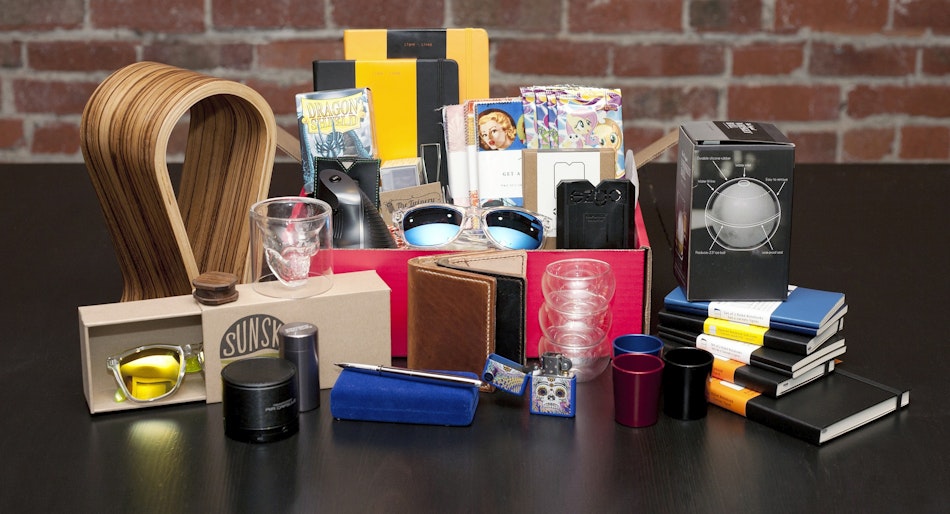
For those interested in deals on popular consumer goods or enthusiast goods that are often too esoteric to be found at mainstream retail, discovering Massdrop is to come across an unexpected cache of awesome.   Once you've gone down on your first group buy, you and your wallet had best be prepared, because with a fresh influx of new offerings each week, it's unlikely to be your last.

The principle behind Massdrop is simple: utilize the collective buying power of a large group of consumers to negotiate the best pricing on popular items, or make an otherwise unobtainable rarity available to interested buyers. The result in my case has been a bit of the former with a sizable dose of the latter.  I've gotten the odd electric kettle and Leatherman multitool for a few dollars below Amazon pricing, at the cost of having to wait for satisfaction around a week longer than Super Saver Shipping would have taken, but the true value of Massdrop's services lies in the specialty items that may only be available to the U.S. market through their group buys (at least at non-exorbitant prices). 

For me, these have fallen into primarily three categories: mechanical keyboards (and related accessories), former Kickstarter projects, and Magic: The Gathering paraphernalia.  Mechanical keyboards comprises one of the largest product categories on Massdrop.  Everything from popular models not commercially available in the U.S. like the Poker II or Leopold FC660M, to a custom-made-for-Massdrop acrylic version of the popular TeX aftermarket aluminum casing for 60% keyboards, Massdrop takes the results of suggestions and polls from its communities and liaises directly with suppliers to bring hard-to-source products to the masses.  Former Kickstarter success stories like the Ti2 Pen are also made available for those who missed out on the original campaign.  And for MTG fans, hard-to-source products like the European DeckTutor Four Card Album or Japanese KMC Perfect Fit Sleeves are available from time to time at semi-reasonable bulk prices.

Joining a group buy on Massdrop does have a minor learning curve.  Those used to lightning fast fulfillment from Amazon or eBay may balk at the lead up times most drops require, especially for customized products that begin manufacturing after the drop has ended.  Bottom line, if you need something fast and can get it elsewhere, you probably should.  Pricing for widely available items may not always be a deal as well, as several mainstream products offered by Massdrop have failed to undercut the extremely competitive pricing offered by big online retailers like Amazon, once you've factored in Massdrop's somewhat inconsistent shipping costs.  Those shipping costs are particularly problematic if you're outside the U.S., as they can become prohibitively expensive, or may even preclude shipping to your country.  Some made-for-Massdrop products have had some QC issues, but Massdrop has generally been very proactive in resolving them when they arise.  

In the end, for deal seekers or niche enthusiasts looking to source some rarer finds, Massdrop opens up a world of opportunities that might otherwise not be available to you.  Your wallet may not be happy, but odds are once you've joined in on a drop, it probably won't be your last.

Wednesday, November 5, 2014

Mechanical Keyboard Review: Cooler Master CM Storm Novatouch

While it looks like any of a legion of mechanical keyboards on the market today, Cooler Master's Novatouch is a landmark keyboard in several respects.  It is the first keyboard available in U.S. retail stores to use Topre's electrostatic capacitive key switches, and the first 'board anywhere to offer those switches with Cherry MX compatible stems.  That compatibility opens up typists who prefer Topre switches to a world of key cap customization previously reserved for fans of Cherry MX switches.

My Novatouch customized with two tones of blue ABS doubleshot key caps, and translucent space bar & escape key.

Beyond its unique key switch offering, the Novatouch is a bare-bones tenkeyless 'board, so minimalist that it doesn't even include LED indicators for Caps or Scroll Lock.  If you're a fan of the numpad or LEDs - functional or decorative - this may be a downside, but if you're a minimalist who prefers the typing experience of Topre switches over the various flavors of Cherry MXs, this may very well be the keyboard you've been waiting for.  The 45g-weighted keys feel slightly heavier than feather-light Cherry MX Reds, and provide a tactile "thock" that seems like a cross between the clacking of a trusty IBM buckling spring and the crumpling rubber feel of ordinary membrane keyboards.  For those who like their keys with a light touch, responsiveness, and definite tactility, it's hard to top Topre, and Cooler Master has a quality and versatile offering in the Novatouch.

Cooler Master's decision to go with a micro USB connector is inline with the widespread use of the connector for smartphones, and feels as equally robust as the mini USB connector used in previous CM Storm keyboards.  The keyboard itself feels more solidly constructed than previous CMs like the Rapid, placing the build quality roughly on par with Topre's own Realforce series and Leopold's FC660C, and arguably more robust than the legendary Happy Hacking Keyboard Professional 2.

While its $200 MSRP may place it squarely in the gaming and keyboard enthusiast bracket, it's actually a rather fair value proposition when compared with other Topre switch keyboard models from Topre itself (the Realforce series), Leopold (FC660C), and Fujitsu (the Happy Hacking Keyboard Professional 2, or HHKB Pro 2, for short).  If you're a Topre fan who has been chomping at the bit for a chance to tap into the plethora of customization options available for Cherry MX 'boards, the Novatouch is your dream come true.

Monday, August 26, 2013

It's On Amazon: Cooler Master CM Storm QuickFire Rapid - CHERRY MX GREEN Switches


After working hard to winnow down my keyboard collection from one each of Filcos with Cherry Browns, Blacks, Blues, and Reds, and even a "fake" White Alps version, down to just a Filco Red and an array of Topres, I had to break down and try out the newest Cherry on the block in a commerically available keyboard, the CM Storm QuickFire Rapid with MX Greens.  At an impressive 80 grams of accuation force, it is said to be the closest in feel that Cherry has come to reproducing the vaunted buckling spring key switches from the old Model M keyboards.  Buckling spring technology was what lured me into the crazy world of mechanical keyboards to begin with, so I understandably had to find out how close the Greens had come to replicating buckling spring tactility.  At the same time, I wanted to see how close Cooler Master's mech 'boards came to the gold standard set by the legion of Filcos I've owned.


I'll answer the second question first:  CM is very, very close to Filco in quality.  In fact, if you prefer a detachable USB cable, or if you'd simply prefer to save around $20-$30 on any given keyboard, CM is a very viable alternative to Filco.  The key feel and quality of construction is highly comparable.  The CM font is a bit more esoteric than the one used on Filco, but they've even begun to offer a side-printed option that is comparable to Filco's "Ninja" series.  Bottom line, if you're looking to invest in your first mechanical keyboard and are interested in Cherry key switches, a CM Storm QuickFire Rapid would be my recommendation.  For the complete novice, Cherry Browns would be the logical first step; touch typists with a lighter touch (like me) may prefer the Reds, while hardcore gamers who like to mash buttons may prefer the Blacks.

As for the Greens in particular:  While they're closer to buckling springs than the somewhat lackluster (in my opinion) Blues, their high actuation force makes them impractical for daily use, at least for someone who has been spoiled by the lighter actuations of Topre capacitive switches and Cherry Reds (which remain my favorites, in that order).  If you're a typist who prefers Blacks but would like some tactile and clicky feedback, the Greens may fit the bill.  I was once such a typist, but the lighter key switches in my current stable have ruined me for the heavier switches.  If your preference run in a similar vein, you'll probably find the Greens too stiff for prolonged use.

As a result, my top Cherry recommendation still goes to the MX Reds and Browns, simply depending on whether you prefer smooth or tactile actuations.  By all means, give CM's line a try - but be prepared to fall down the mechanical keyboard rabbit hole if you do.  And believe me: it's a long - and expensive - way down, but you'll love every minute of it.

Monday, August 19, 2013

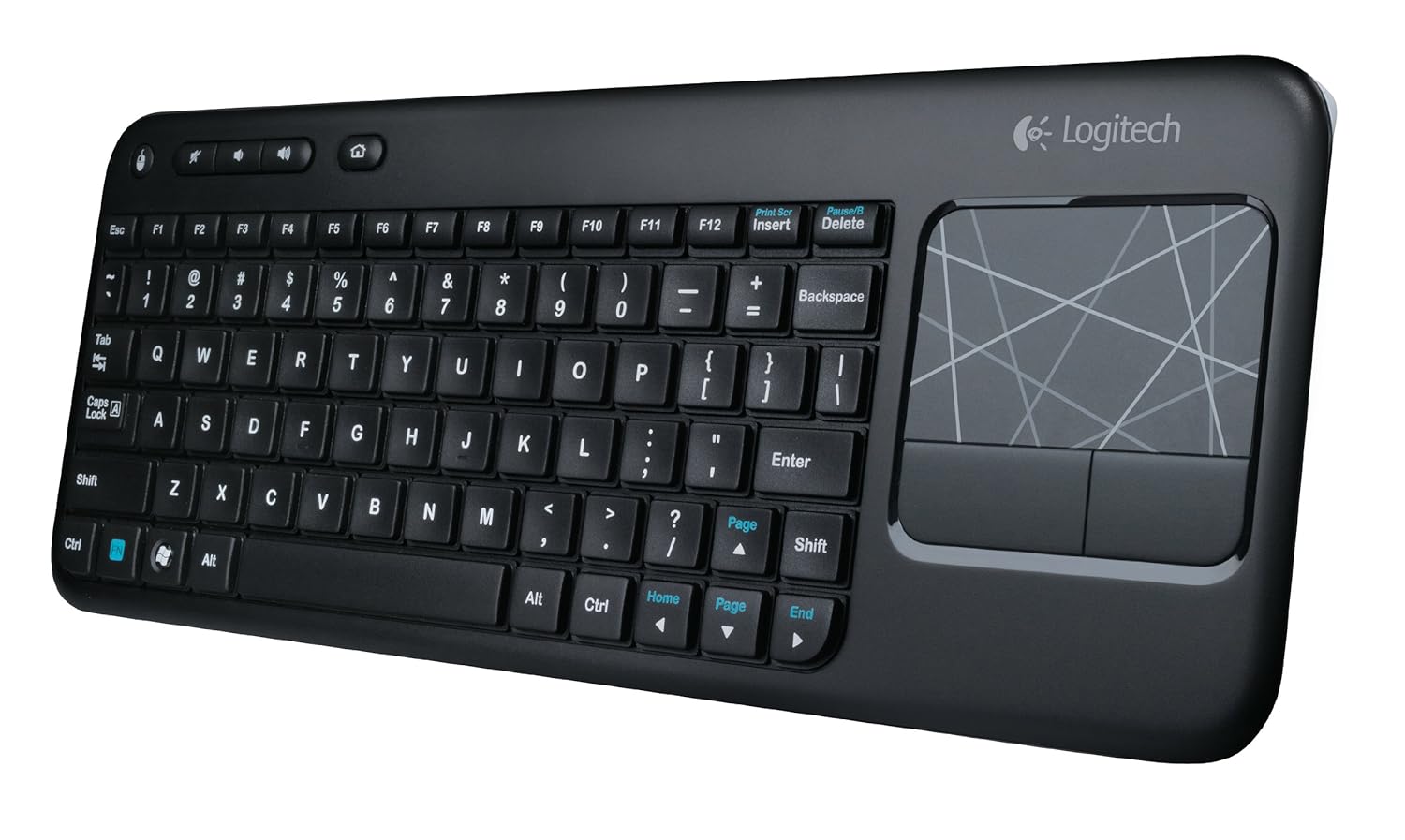
It's On Amazon: Logitech K400 Wireless Touch Keyboard

Being an inveterate mechanical keyboard user - OK, snob - made me postpone this review for several weeks.  I haven't returned to membrane keyboards since I upgraded to a Unicomp buckling spring 'board in college.  One of the first things I invariably I do when settling into a workspace is swap out the stock-standard membrane keyboard with a mechanical - either a Cherry MX red or Topre capacitive.  So how did it come to pass that the current mechanical keyboard on my desk - a Leopold 660C - has come to play second fiddle to a Logitech membrane keyboard that you can find on Amazon for less than $30?

It began when I was shopping for a good HTPC keyboard for my dad and ended up choosing the Logitech K400 for its integrated touchpad and a strong aggregate of reviews on Amazon.  He loves using it, and I was surprised at how comfortable the membrane keys were to type on.  The best description I can give for the tactility is that it is a cross between traditional membrane keyboards and scissor-switch laptop-style keys.  It requires a little more force on average thanTopre capacitive switches, but the shallower key travel seems to make up for it.  Response is of course less accurate, but good enough that I only find myself compelled to switch back to the 660C when typing for extended periods.

I switched to the K400 as my primary keyboard mainly because my current desk setup sometimes requires that clear the space on my desk where I usually keep my keyboard.  I tried using the 660C there with a Filco keyboard roof, but I need the flexibility on occasion to clear out the space and pull my Cintiq up to the edge of the desk space when I'm working on an illustration.  Also, since I've switched my desk chair from an Embody to a Swopper, I occasionally like to use the Swopper as an improvised footrest and recline back in the Embody, especially when watching videos for extended periods on my landscape aspect 24" monitor.  Having an HTPC-style wireless keyboard with a built-in touchpad allows me to continue to control my computer even in a more laid back configuration.  The K400 excels in this usage.

The touchpad feels like it's on a little on the small side - especially for my setup, where it has to traverse 5 screens worth of real estate - but given the keyboard's goal of portability and top-of-the-lap use, I think it strikes the proper compromise.  The odd design decision to include another physical button for the left mouse click button in the top left corner is actually a useful quirk when you need to make multiple mouse clicks in quick succession.  And the function keys are smart enough to default back to F1 through F12 when depressed in combination with modifiers like SHIFT and CTRL, so that you don't have to add the FN key to the mix.

For a $30 wireless keyboard, it's hard to top the Logitech K400.  I'll probably default back to one of my mechanical 'boards when in hardcore novel-writing mode, but for lighter takes (such as writing this post), the K400 is a fantastic and economical option.

Monday, June 10, 2013

Keyboard Review: Leopold FC660C (Topre Capacitive Switches)


I seem to have the devil's own luck when it comes to keyboards.  (Whether that is a good or bad thing, though, is open to debate.)  Several years ago, I managed to snag one of the limited edition Filco tenkeyless keyboards with Cherry MX Red switches back when reds were very hard to come by.  I did so by happening upon the Amazon link only hours before fellow enthusiasts at GeekHack.org and other internet forums swarmed in and emptied Keyboard Co.'s stock on Amazon.  Likewise, after nearly a year-long hiatus from acquiring new keyboards, a chance visit to GeekHack a few weeks ago led me to discover that Leopold had released a 60% (66-key) mini keyboard using Topre capacitive switches called the FC660C, and that it had been stocked by EliteKeyboards.com.  Having learned my lesson from Cherry Red Filco all those years ago, I purchased one before it could go out of stock - which it did a few days later.

My main reason for picking up the FC660C was the interesting layout.  It occupies the middle ground between standard tenkeyless and compact keyboards like the Happy Hacking Keyboard, in that it includes dedicated directional buttons and a two-button island for the Insert and Delete keys.  As I usually remap my Insert key to open up My Computer, this unique layout seemed custom-made for my purposes.  While I occasionally miss having dedicated Page Up and Page Down buttons, the Function button is situated close enough to those keys that I quickly picked up the two-button combinations.  The only maneuver I can't perform on the FC660C that I used to on a tenkeyless is a two-finger Alt-F4, which requires two hands now  due to the wide space between the Function and F4 buttons.

I'm not sure why, but the FC660C's switches feel snappier than those on my Realforce 87U and HHKB2 Pro.  Others who have reviewed the keyboard on GeekHack have expressed similar impressions.  That, added to the solid sub-$200 price (a relative bargain when it comes to Topre switches), makes the FC660C a very attractive introduction to the world of capacitive switches.

While the FC660C has been elevated to my favorite capacitive switch keyboard, I'm still on the fence in comparing it to my previous favorite switch, the Cherry MX Red.  I decided to settle matters by purchasing a FC660M with Reds on eBay.  When it arrives, with all else being equal, I should be able to compare the switches themselves to come up with a clear determination.

Monday, June 3, 2013

Goods Resource - Keyboards: GeekHack.org


This inaugural post in the "Goods Resource" series features the forum community that taught me more about mechanical keyboards than I could have imagined when I was first exposed to Filco Majestouch models at Cleverly 2 in Akihabara:  GeekHack.

The GeekHack forums are where you can take the pulse of the online English-speaking mechanical keyboard enthusiast community.  You can learn what distinguishes the various colors of Cherry and Alps-branded keyswitches, or what makes Topre capacitive keyswitches better than standard membrane switches (despite the incorporation of a rubber dome in their design).  You can see what latest models from the Far East (China, Korea, and Japan being the biggest players and markets in the mechanical keyboard industry) are attracting attention and depleting wallets.  Having been out of the keyboard game for a while, I learned from my last visit to GeekHack that several U.S. or U.S.-accessible companies (Cool Master, Keycool, etc.) have entered the game.  Cool Master is particularly interesting, as they use the same manufacturer for their boards as Filco - Costar - but offer their products at roughly 2/3rds the price.  Cool Master also is the only player in the market that currently offers a tenkeyless board with Cherry MX Green keyswitches (the CM Storm QuickFire Rapid), which is reputed to be as close to buckling spring tactility as Cherry has been able to achieve.  I currently have one on order at Amazon.

That's the dual perk and peril of visiting GeekHack:  you come away with more knowledge in your head (and a potentially better typing experience at your fingertips), but less money in your wallet.

Wednesday, March 23, 2011

My History with Keyboards & Keyboard Review #001: Filco Majestouch-2 Linear R Limited Edition Tenkeyless FKBN87MR/EB2

My fascination with mechanical keyboards began with the metallic twang of the Model M attached to the first computers I used as a child.  But my initiation into the realm of modern, mechanical-switch keyboards can be traced back to a visit to Akihabara in 2008.  My primary business in Akiba was at the Mandarake doujinshi store, but once I'd finished up there, I explored that particular back street and found the Clevery 2 computer store, which specializes in peripherals, particularly keyboards.

(Sadly, going through my pictures folder, it looks like I didn't snap up one of the store itself.  Guess I was too starry-eyed at the time.  This image comes from the Clevery website.)

I tried my hands on every keyboard they had on display there, and in the end, a sturdily built (and $100+!) 104-key model with the name "Filco" emblazoned on it won me over.  Only the fact that I had come to Tokyo on a midnight bus from Osaka--and that I would be further laden down by the stacks of doujinshi I'd acquired from Comiket 73 on the trip back--kept me from purchasing it then.  Upon my return to the states, armed with the magical keywords "Filco" and "Majestouch," I discovered the geekhack.org forums, and was initiated into the world of cherry mechanical keyswitches.  I soon determined that the keyboard that had won me over had Cherry Black linear keyswitches, but that most typists preferred the softer touch of the tactile Cherry Browns.  Trusting the consensus, I purchased my first full-size Majestouch, with Brown switches, from beNippon. Over time, I would sell off the full-size for a tenkeyless model (one without the number pad), and expand my collection to include tenkeylesses with Black and Blue (tactile with a *click*) Cherry switches, along with a Topre Realforce 87U and a Happy Hacking Keyboard Professional 2.

I thought my foray into mechanical keyboards would end there, until I discovered through geekhack that Filco had released a tenkeyless model with the elusive Red Cherry switches--and, more than that, that it was available through Amazon.   I immediately searched for it, and--despite a general moratorium on purchases I've imposed around tax time--purchased it.  There were twelve left in stock when I came across the product page, meaning that after my purchase there were 11.  I briefly wondered if I'd been too hasty, adding yet another $100+ keyboard to my stable. 

The remaining 11 keyboards were gone by the next day.

My hope in purchasing this Cherry Red keyboard was to find a middle ground between the smoothness of the linear Blacks (which was my favorite Cherry keyswitch) with the lightness of the tactile Browns.  This was the general description of the Reds on geekhack, so I felt fairly confident that I'd finally found the best of both worlds in this keyboard.

Now, as I type this review on it, I can say that I have.


The "Limited Edition" keyboard came with the red WASD keys, while I had a spare red ESC from my other Filcos.  The keys depress with the same light touch that are the hallmark of the more well-known and widely used Cherry Browns (also used, for example, in the Kinesis Advantage Keyboard), but without the tactile "hump" in the resistance curve that I personally find detracting.  Within an hour of switching to it, typing has become more natural to me as it has on any of the myriad keyboards I've used before.

 (Close-up of the red WASD keys)

(As with the Filco with Black linears, the caps and scroll LEDs are red in this 'board.)

I've yet to use this 'board for gaming purposes, but as I tend to be a button masher, I suspect that the Black linears are still king in that department for me.  Nevertheless, I feel quite confident that I've finally found the keyboard I've been looking for these past three years.  As a writer and editor, the keyboard really is the definitive tool of my trade, and having one that suits my typing style so well makes every task that much more enjoyable.

(The 'board comes in a understated black box with simple lettering.)

Beyond the keyboard itself, the other gem of the experience is learning that Filco keyboards are now available on Amazon.com, as they are sold by the Keyboard Co UK (and fulfilled by Amazon, meaning that super-saver shipping applies!).  The tenkeyless version is sold with both regular printed keys and a "ninja" side-printed version, as well as the full 104-key version.  Also available are tenkeyless versions of the 'board with tactile Browns, linear Blacks, and clicky Blues, as well as full 104-key versions with Browns and Blues.