Showing posts with label It's On Amazon. Show all posts

Wednesday, December 3, 2014

It's On Amazon: Imprint CumulusPro Commercial Grade Series 24-Inch by 36-Inch Floor Mat Review

Arguably, the most important aspect of a standing desk is not the desk itself, but what you'll be standing on.  That humble patch of real estate plays an analogous role to the office chair that can take up hundreds - or even into the thousands - of dollars from your office budget.  Standing on an unyielding surface for hours on end can be just as if not more detrimental to your health as sitting in an ill-fitting chair, so spending a little bit of money to improve your standing experience should be a matter-of-course expense.

My "standing desk" setup is merely a dresser top of suitable height paired with a LCD TV raised to a comfortable height on a wall mounted bracket system.  I lucked out in that all the components were repurposed, down to the older desktop PC that has found a new lease on life as my standing workstation.  The only piece of the puzzle that I had to purchase outright was the floor mat that I'm standing on right now, an Imprint CumulusPro.  At between $70-$100 retail, it may seem at first a little pricey for something that you'll place on the floor.  But if you've ever stood in place on a hard surface for a prolonged period of time, you'll know that a little bit of cushioning - while still providing support - can go a long way to increasing comfort.  That's where a standing mat comes in.


Image courtesy Amazon.com.

The 24-inch by 36-inch version of the Imprint CumulusPro is made in Korea, which distinguishes it from the smaller 20-inch by 30-inch version, which is made in China.  I don't discriminate between countries of origin without cause, and in this case some that cause comes in the form of some user reports on the Wirecutter desk mat review page that indicate that some of the smaller CumulusPros exhibited a strong odor due to improper curing.  As a result, even though my floor space would have been perfectly served by 20"x30", I opted for the more expensive (and slightly oversized for my purposes) 24"x36" size from the original Korean manufacturer.

The CumulusPro feels firm and supportive when stood on, yet there is enough give beneath your heels and arches to keep your feet from getting fatigued or achy.  I use it barefoot, and find it far less taxing on my feet than the hardwood floor beneath it.  Whereas my feet would start to feel fatigued after 1-2 hours of standing work, I can easily go for extended 3-4 hour work sessions without feeling the need to get off my feet.

If you're considering a standing desk setup, a good floor mat is probably the second-most important element (with the first being the height and position of your monitor, keyboard, and mouse).  It seems hard to do any better in that department than the Imprint CumulusPro.

Monday, October 14, 2013

It's On Amazon: Sony MDR-1RBT Premium Bluetooth Over-The-Head Headphone Review


Although I chose the V-MODA M-100 headphones as my primary set, featuring it in a review about a year ago, I continued to be on the lookout for an equally solid set of Bluetooth headphones, I prefer to use wireless headsets with my tablet and smartphone.  My previous Bluetooth headphones, the Sony DR-BT50, featured superb battery life but middling audio quality and an on-the-ear style as opposed to the over-the-ear which I prefer.  I came across the MDR-1RBT in my search to update the DR-BT50s, and though it's priced in M-100 territory, it checked off several key features that made me think it'd be worth the investment.

First, it's an over-the-ear design with plenty of room inside its earcups.  This was important as the M-100s' cups are at the borderline of too small for my ears, resulting in some discomfort during longer listening sessions.  I'll be picking up and reviewing the newly released XL earcups for the M-100 shortly, but for my next Bluetooth headphones I wanted to be sure that the cups would provide for adequate comfort.  The MDR-1RBT cups don't disappoint, with plenty of space and angled drivers that provide additional room for your earlobes and better position the speakers for audio fidelity.

Second, I've always wondered whether it was possible to add a regular 2.5" audio input jack to a Bluetooth set, allowing it to be used as a traditional headphone when Bluetooth isn't available or in a contingency where its own battery has run down.  The MDR-1RBT says "yes."

Third, it charges via micro USB port, like many of the other portable devices I own (e.g., HTC One, Nexus 7, Amazon Kindle Keyboard, etc.), meaning they can all share chargers when and if the need arises.  The battery life appears as good if not better than the DR-BT50, and the audio quality over Bluetooth is very solid.  On the wire, it comes in second to the punchier sound of the M-100, but unless and until the latter's XL earpads solve its sizing issues, the MDR-1RBT wins in the comfort department.

All in all, the MDR-1RBT is a solid contender for the only pair of headphones you'd ever need, as it basically does it all and checks all of the boxes in fine fashion.  In fact, its solid performance has left me a bit torn between keeping the M-100 for its sound and the sweet custom ear shields I designed for it, or adhering to my minimalist consumer aesthetic and sending it off to eBay, retaining the MDR-1RBT as my "only" pair of headphones.  I've decided to give the M-100 a chance to redeem itself with the XL earpads and the finally released gaming microphone attachment, the results of which will feature in an upcoming review.

Monday, September 30, 2013

It's (Er, It Was) On Amazon: Amazon Warehouse Deals, CamelCamelCamel, and the $170 Sony NEX-F3


This week's "It's On Amazon post" is a little different from those that came before, mainly because it focuses not so much on the specific product - the Sony NEX-F3 - but rather on the elements that came together to make it such an unheard of deal.

The Sony NEX-F3 is Sony's now-discontinued (in favor of the NEX-3N) entry-level mirrorless camera.  It retailed for $600 back when it arrived in early 2012, and was hailed as a solid bargain (though some reviewers believed that the generation-older NEX-C3, at the same price, was a better deal still), but often goes for around $350 refurbished or in great used condition.  I was shopping around Amazon and Adorama for a cheap entry-level digital camera that would allow me to step down from the FujiFilm X100 that I purchased last year, which was both a little more and a little less than I needed.  I was considering the Nikon D3100 refurbished from Adorama for $350, but waited a bit too long and by the time I was ready to pull the trigger they were out of stock.  I expanded my search to include mirrorless models and came across a single used Sony NEX-F3 for $171.01, less than half the usual price.  While that sometimes happens when the unit in question is in questionable condition or from an unknown third-party seller, this NEX-F3 was in "Very Good" condition and being sold by Amazon Warehouse Deals itself.

Half convinced that it was an error that Amazon would catch mid-processing, I quickly snapped it up and waited for it to ship.  When it did, I ventured to camelcamelcamel.com, a price tracking resource that allows you to see price trends on Amazon - sometimes going back for years.  Its NEX-F3 tracking page revealed that my purchase was just a dollar above the all-time lowest price for a used model on Amazon (which most likely means that I would have saved a dollar on the same camera had I purchased it on September 5th rather than September 8th).

As with everything else I've purchased from Warehouse Deals, the camera and its accessories were immaculate.  I had a very hard time discerning what signs of wear, if any, had led Amazon's condition grading department to classify the camera as "Very Good" rather than "Like New."  Putting the camera through its paces - including a shot-for-shot head-to-head with the X100 - left me with a very favorable impression.  If the X100 is a street photography specialist, the NEX-F3 is a strong all-arounder for a casual photographer and sometimes videographer.  And at $170, it's a bargain that simply can't be beat on today's digital camera marketplace.

I'm still not sure why this particular pre-loved NEX-F3 ended up on Warehouse Deals at such a discounted price, or whether a deal like this will come about again in the near future.  But I think that we can take away several lessons from this noteworthy shopping anecdote that will help to put us in a position to be ready when it ever happens again to a product we're interested in.

1) Always shop around.  If I hadn't jumped from Adorama to Amazon, I would never have come across the NEX-F3 deal.  Moreover, if I hadn't been looking around for pricing cues, I wouldn't have realized just how much of a bargain the NEX-F3 was at a sub-$200 price point.

2) Use price tracking websites to evaluate how much of a deal you're getting.  This applies specifically to Amazon purchases, but if you're anything like me, those tend to make up a substantial proportion of online expenditures.  Websites like camelcamelcamel.com allow you to put price reductions that look like a good deal on their own into the proper perspective.

3) If a deal seems too good to be true, it probably is . . . but sometimes it's the real deal.  While it's probably best in most instances to stick to the rule of thumb that warns against going after deals that seem almost too good, there are some rare instances where it may actually be worth taking the plunge.  Where the seller is a trusted and dependable source like Amazon (or its Warehouse Deals) with a fantastic return policy, the risk of a deal being too good to be true is largely mitigated.  If you stick to reliable sources and only spend what you can afford to spend - not to mention only buy what will actually give you marginal utility, as opposed to deal hunting for deal hunting's sake - then there's no reason you shouldn't take the plunge when the opportunity arises.

Monday, September 16, 2013

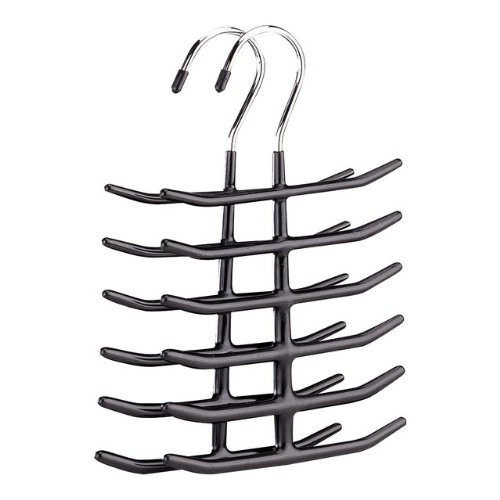
It's On Amazon: Organize It All 1338-6 Tie Belt Valet Hanger


After purchasing a Woodlore 82720 Natural Cedar Tie Organizer and finding it too wide (due to the prongs on both sides) to fit comfortably in my closet, I was long for another storage option that would provide a slimmer profile.  This Organize It All tie hanger (sold in 2 packs on Amazon) seemed to fit the bill, and for less than $10, the price was right.

I had used a plastic tie hanger of a similar design to this one prior to switching to the Woodlore, so I more or less knew what to expect.  This version is actually superior in that it has wider spacing between the prongs, putting less stress on the portion of the tie that hangs on them.  The best way of storing ties on this type of hanger is to hang them so that they drape down on alternating sides of the hanger, thereby distributing the weight of the ties as evenly as possible.  When fully stocked it fits comfortably in a cramped closet.

While also billed as a belt hanger, I found it somewhat ill-suited to the task, as the orientation of the prongs means that the belt buckles you hang on it will hang roughly parallel to your rack, making it exceedingly difficult to remove one belt without sending others tumbling to the floor.  For belt storage, I found the Closet Accessories 12 Belt Hardwood Hanger a superior solution, also for less than $10 (though for just one, rather than a 2-pack). 

Monday, September 9, 2013

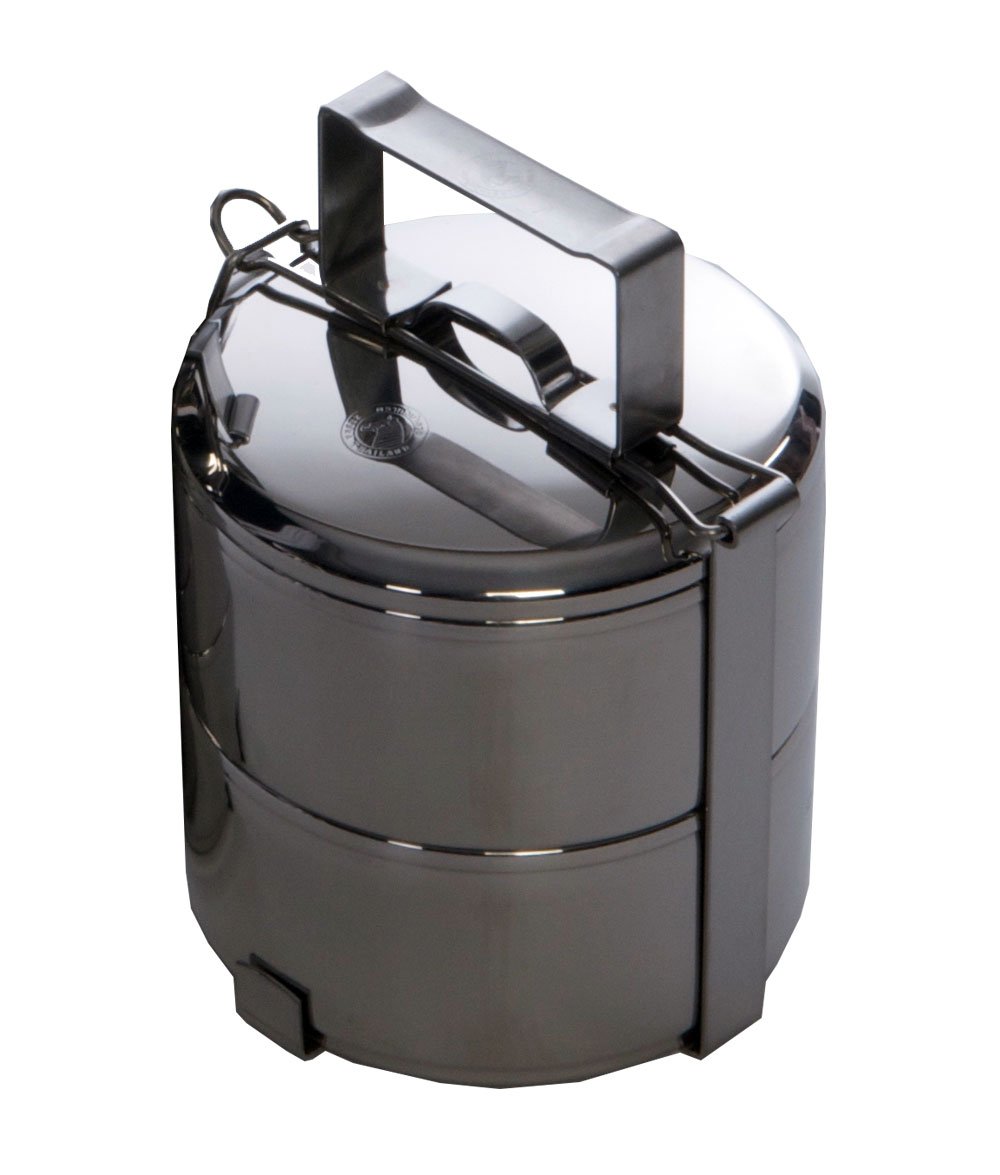
It's On Amazon: Grand Trunk Two-tier Tiffin box and food carrier, 12 cm

I first came across the concept of a "Tiffin" box (also called dabbas) while watching one of Gordon Ramsay's British cooking shows, and while I understood its function in general terms and was aware that it was the backbone of a burgeoning lunch delivery business industry in India, I never bothered to look into one.  That changed when I saw one being used as a bento box by a laundry worker on the NHK World program Lunch ON (its metal construction makes it suited to being kept warm by the business's steam presser, alongside other bento boxes).  The design caught my eye as being somewhat distinct from the tiffins I'd seen before, and a bit of internet due diligence led to the discovery that tiffins are also popular receptacles in Southeast Asia.  This particular design hails from Thailand.

Amazingly (or Amazoningly?), this very model is available on Amazon, which for me made it a snap buy.  Despite some conflicting information on its product page, the tiffin containers can keep liquids contained, and the 12cm diameter is sufficient for packing a small lunch.  The outer retainer mechanism is solidly constructed and securely fastens to the two containers and lid within.  The only advisory I'd make is to immediately dry the tiffin after washing, as the stainless steel, despite the "stainless" moniker, may discolor or rust if left wet for a prolonged period of time.  This is par for the course when it comes to food-grade stainless, however, so it doesn't necessarily impugn the quality of the steel used in this tiffin's construction.

I don't often have the occasion to pack a lunch these days, but when I do, this tiffin box should perform the task admirably.  Available on Amazon for a little over $20.

Monday, August 26, 2013

It's On Amazon: Cooler Master CM Storm QuickFire Rapid - CHERRY MX GREEN Switches


After working hard to winnow down my keyboard collection from one each of Filcos with Cherry Browns, Blacks, Blues, and Reds, and even a "fake" White Alps version, down to just a Filco Red and an array of Topres, I had to break down and try out the newest Cherry on the block in a commerically available keyboard, the CM Storm QuickFire Rapid with MX Greens.  At an impressive 80 grams of accuation force, it is said to be the closest in feel that Cherry has come to reproducing the vaunted buckling spring key switches from the old Model M keyboards.  Buckling spring technology was what lured me into the crazy world of mechanical keyboards to begin with, so I understandably had to find out how close the Greens had come to replicating buckling spring tactility.  At the same time, I wanted to see how close Cooler Master's mech 'boards came to the gold standard set by the legion of Filcos I've owned.


I'll answer the second question first:  CM is very, very close to Filco in quality.  In fact, if you prefer a detachable USB cable, or if you'd simply prefer to save around $20-$30 on any given keyboard, CM is a very viable alternative to Filco.  The key feel and quality of construction is highly comparable.  The CM font is a bit more esoteric than the one used on Filco, but they've even begun to offer a side-printed option that is comparable to Filco's "Ninja" series.  Bottom line, if you're looking to invest in your first mechanical keyboard and are interested in Cherry key switches, a CM Storm QuickFire Rapid would be my recommendation.  For the complete novice, Cherry Browns would be the logical first step; touch typists with a lighter touch (like me) may prefer the Reds, while hardcore gamers who like to mash buttons may prefer the Blacks.

As for the Greens in particular:  While they're closer to buckling springs than the somewhat lackluster (in my opinion) Blues, their high actuation force makes them impractical for daily use, at least for someone who has been spoiled by the lighter actuations of Topre capacitive switches and Cherry Reds (which remain my favorites, in that order).  If you're a typist who prefers Blacks but would like some tactile and clicky feedback, the Greens may fit the bill.  I was once such a typist, but the lighter key switches in my current stable have ruined me for the heavier switches.  If your preference run in a similar vein, you'll probably find the Greens too stiff for prolonged use.

As a result, my top Cherry recommendation still goes to the MX Reds and Browns, simply depending on whether you prefer smooth or tactile actuations.  By all means, give CM's line a try - but be prepared to fall down the mechanical keyboard rabbit hole if you do.  And believe me: it's a long - and expensive - way down, but you'll love every minute of it.

Monday, August 19, 2013

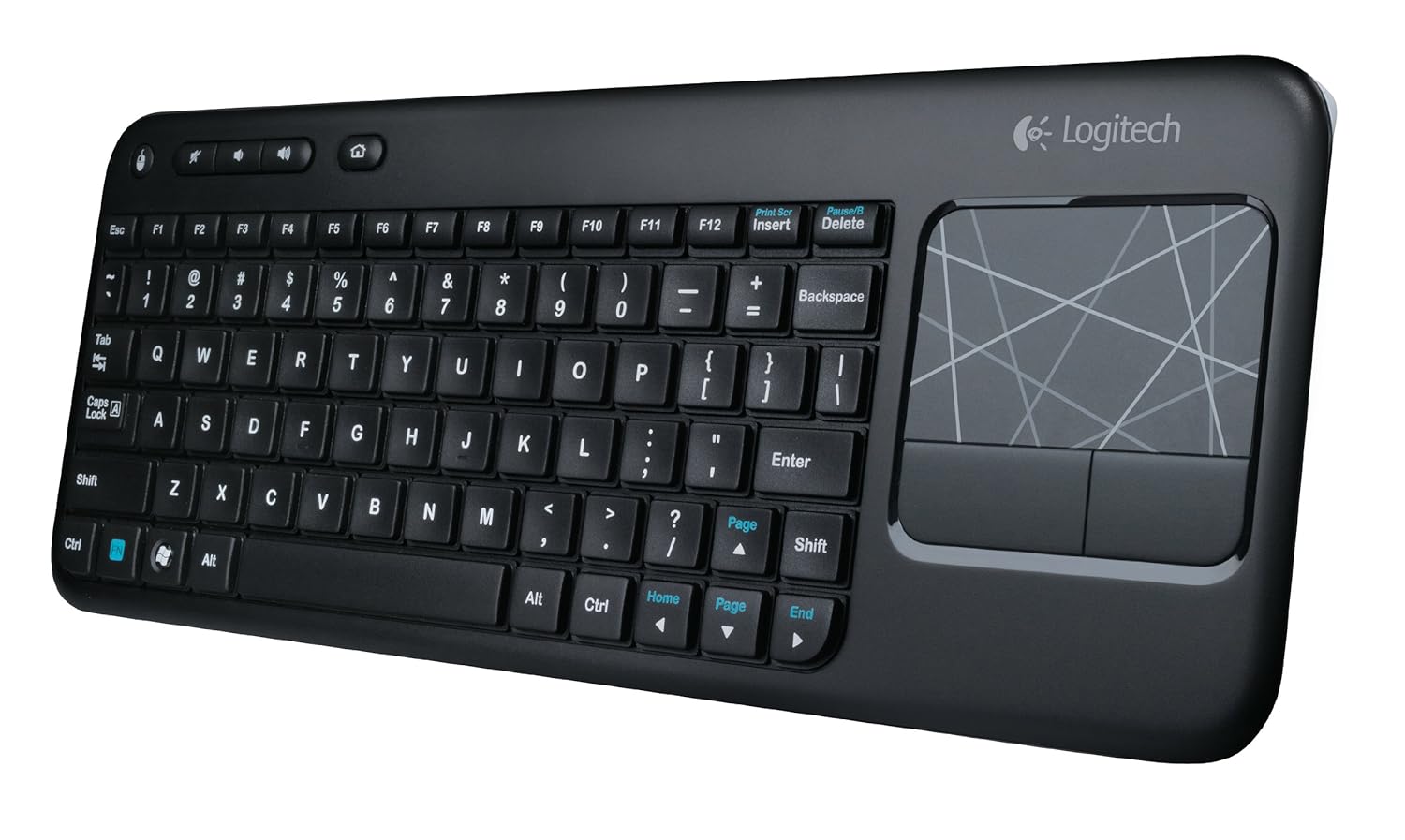
It's On Amazon: Logitech K400 Wireless Touch Keyboard

Being an inveterate mechanical keyboard user - OK, snob - made me postpone this review for several weeks.  I haven't returned to membrane keyboards since I upgraded to a Unicomp buckling spring 'board in college.  One of the first things I invariably I do when settling into a workspace is swap out the stock-standard membrane keyboard with a mechanical - either a Cherry MX red or Topre capacitive.  So how did it come to pass that the current mechanical keyboard on my desk - a Leopold 660C - has come to play second fiddle to a Logitech membrane keyboard that you can find on Amazon for less than $30?

It began when I was shopping for a good HTPC keyboard for my dad and ended up choosing the Logitech K400 for its integrated touchpad and a strong aggregate of reviews on Amazon.  He loves using it, and I was surprised at how comfortable the membrane keys were to type on.  The best description I can give for the tactility is that it is a cross between traditional membrane keyboards and scissor-switch laptop-style keys.  It requires a little more force on average thanTopre capacitive switches, but the shallower key travel seems to make up for it.  Response is of course less accurate, but good enough that I only find myself compelled to switch back to the 660C when typing for extended periods.

I switched to the K400 as my primary keyboard mainly because my current desk setup sometimes requires that clear the space on my desk where I usually keep my keyboard.  I tried using the 660C there with a Filco keyboard roof, but I need the flexibility on occasion to clear out the space and pull my Cintiq up to the edge of the desk space when I'm working on an illustration.  Also, since I've switched my desk chair from an Embody to a Swopper, I occasionally like to use the Swopper as an improvised footrest and recline back in the Embody, especially when watching videos for extended periods on my landscape aspect 24" monitor.  Having an HTPC-style wireless keyboard with a built-in touchpad allows me to continue to control my computer even in a more laid back configuration.  The K400 excels in this usage.

The touchpad feels like it's on a little on the small side - especially for my setup, where it has to traverse 5 screens worth of real estate - but given the keyboard's goal of portability and top-of-the-lap use, I think it strikes the proper compromise.  The odd design decision to include another physical button for the left mouse click button in the top left corner is actually a useful quirk when you need to make multiple mouse clicks in quick succession.  And the function keys are smart enough to default back to F1 through F12 when depressed in combination with modifiers like SHIFT and CTRL, so that you don't have to add the FN key to the mix.

For a $30 wireless keyboard, it's hard to top the Logitech K400.  I'll probably default back to one of my mechanical 'boards when in hardcore novel-writing mode, but for lighter takes (such as writing this post), the K400 is a fantastic and economical option.

Monday, June 24, 2013

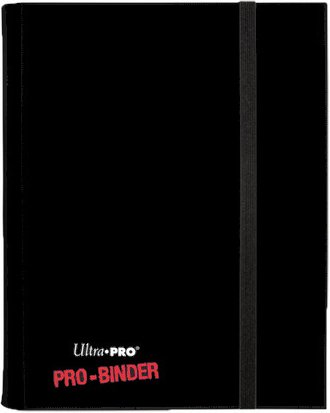
It's On Amazon: Ultra-Pro Pro 4-Card Binder


One of my ongoing organizational challenges is - as I'm sure many collectible card game (CCG) players encounter - is managing my collection in a way that allows me to have ready access to the cards that I might need to assemble a deck on short notice.  One limiting factor is that several deck designs may require the same playset of cards (in Magic: The Gathering (MTG), four copies); so long as one deck is built, the other has to remain in a perpetual state of incompleteness, until the missing cards can be swapped from one deck to another.  This is an acceptable complication when two decks are involved, but when the decks multiply this musical chairs exercise can make it easy to forget where a particular set of cards ended up last.

The simplest solution would be to obtain as many playsets as needed; becomes unfeasible, however, when the cards in question cost as much as $50 a copy, as the hottest staples in Standard sometimes do.  I've attempted to use card binders to give a bit more organization to the cards that every deck seems to need, but splitting four-card playsets across nine-card pages makes for uncomfortable and nigh untrackable splits between playsets.

The solution I've come up with is a series of four-cards-per-page binders by Ultra-Pro called "Pro Binders." These are Ultra-Pro's take on the popular Monster Binder series, which use side-loading slots and textured back surfaces to ensure that cards don't slip out of position in transit.  In my opinion, Ultra-Pro improves on Monster's design by allowing more play in each slot, so that sleeved cards of MTG size fit comfortably, and both sides of a page can be utilized without over-stuffing the binder.

If you collect and/or play a CCG that uses an up-to-four-copies deck construction rule like MTG, the four-card Pro Binder might be a practical solution to keeping deck staples readily on hand.  For those CCGs that use different construction rules, or for those that prefer the more traditional nine-card-per-page binder format, Ultra-Pro also makes Pro Binders in a nine-page format.  I use them to store the vestiges of my older CCG collections - Star Trek, Star Wars, Battletech, etc. - and I find them preferable for cards that won't be called to deck duty anytime soon.

Monday, May 27, 2013

It's On Amazon: V-MODA Crossfade M-100 Over-Ear Headphones

I've had several contenders in my quest for my perfect set of headphones:  AiAiAi TMA-1s and TMA-1 Studio (the former now eBay'd; the latter returned), California Headphone Company Silverados (my current work headphones), and Audio-Technica ATH-M50s (returned due to sibilance with my PC's stock audio - it might have done better with a FiiO E17 "Aspen" portable amp / DAC).  The current titleholder is V-MODA's M-100, a stylish, durable, and well-designed set of cans that, for me at least, hits the headphone sweet spot.

The first criterion in my headphone search was the over-ear form factor; I'd learned from the TMA-1s that on-ear is often less than comfortable for prolonged listening or gaming sessions.  This was the TMA-1 Studio's Achilles heel:  neither set of earpads made for a comfortable seal that at the same time preserved audio fidelity.  The ATH-M50's earcups were so shallow that wearing them felt like donning an oversized on-the-ear headset.  The CHC Silverado is perhaps the most comfortable headset I've owned - with spacious earpads that full encompass my ears - but their audio quality is middling at best.  So it was with lessons learned from these $100-$250 cans that I searched for a new mainstay set.

Consulting fora like Head-Fi.org, I eventually narrowed the field down to two contenders:  the Sennheiser Momentum and the V-MODA M-100.  The headphones' respective sound profiles lead me to lean toward the Momentum at first - I've liked Sennheiser's sound in the past and have never been much of a bass head - but a review from Tyll Herstens of InnerFidelity lead me to the conclusion that the Momentum's smaller earpads might leave me with the same crushed-lobe fit that made the ATH-M50 a nonstarter.   That, coupled with Tyll's enthusiastic treatment of the M-100 led me to purchase a pair from Amazon.

The $20 (and free shipping) that I saved quickly evaporated when I discovered that the M-100, much like the M-80 on-ear model, had the option of swapping out the stock "shields" for custom colors and engraved monotone images.  This option is included free with a direct purchase from V-MODA, but is also available for purchase separately for $45.  With my set already en-route, I laid down the extra cash, uploading one of my character sketches for the engraved design.  I think it turned out pretty well:


Aesthetics is definitely a factor in considering the M-100.  It incorporates V-MODA's signature hexagonal design, which is a subtle touch that doesn't hit you over the head with its uniqueness; it's there if you care to take note of it, but doesn't get in the way of the M-100's performance.  Materials are solid and feel well built, if not quite to battleship-like metal-and-leather-only specs of the CHC Silverado.  Finishing, though, is a touch above any other headphone I've owned.  A great example of the M-100's fusion of sleek design and solid functionality is in the hinge mechanism that allows you to fold the headphone into a more compact shape for travel.  The hinge could have easily been a structural Achilles' heel if not done right; instead, it's both sleek and sturdy, giving you the impression that other parts of the M-100 - such as the cord (which is removable and replaceable) - will wear away long before it will.

The M-100 comes with two cords of differing length; one is a 3-foot cord with built-in cellphone mic, the other is a 6-foot cord with a built-in audio splitter.  For me, these two cords are purpose-built for the two primary uses I have for my headphones:  as a set of cans for portable media devices like my cellphone and tablet, and a gaming / media headset for my desktop PC.  The mic on the shorter cord means I can answer calls while wearing the M-100, or even use it as a dedicated hands-free option.  The splitter on the longer cord allows me to keep the M-100 and my desktop speaker plugged in concurrently, eliminating the need to swap between the two as the need arises.

All these amenities are useful, but the ultimate criterion of any set of headphones is, of course, how they sound.  Compared to the "dark" profiles of the two AiAiAi TMA-1s, what I found to be an overly sibilant treble on the ATH-M50, and the OK-but-not-great sound of the Silverado, the M-100's sound profile is like a breath of crisp fresh air.  The added bass doesn't inhibit a non-bass-head's enjoyment; if anything, I'd agree with InnerFidelity's assessment that it makes the overall listening experience more fun and enjoyable.  If you've found other headphones with sound profiles aimed at studio reproduction too flat or tiresome, the M-100 may be the set you've been looking for.  Good looks, solid design, customization, and excellent sound make for a solid buy for anyone willing to pay a little over $300 for auditory satisfaction.


Monday, May 20, 2013

It's On Amazon: FiiO E17 "Aspen" DAC (Digital Audio Converter) Portable Amp


When you get into higher-end headphones (such as the GtB-recommended V-MODA Crossfade M-100s - It's-On-Amazon review forthcoming), the purchase of a solid DAC is usually not far behind.  Many serve as amplifier for 'phones that require more juice than a smartphone, laptop, or PMP can provide, or as a portable external sound card with USB connectivity.

FiiO is a Chinese company that has gained a reputation  in audio enthusiast circles as a solid manufacturer of portable amps and DACs, and their E17 (nicknamed "Aspen") is a strong entry-level contender poised just over the $100 mark.  The E17 is my first portable amp / DAC, so the comparisons I'll be making are between it and the stock sound card on my budget-built PC's ASUS P5K-VM motherboard, and the standard audio from my Samsung Galaxy Tab 7.0 Plus tablet.

Having never used a DAC before, I can say that the E17's interface is very intuitive.  Connect it via USB, and it begins to charge.  It only took me a few moments after powering it on to figure out how to navigate the menu system, which includes the usual adjustment attributes like treble, bass, etc.  The device proved to be plug-and-play on my Windows 7 and Windows 8 systems.  The most challenging part of getting it to work was realizing that I needed to right click on the Windows Sound icon, bring up the "Playback Devices" window, and set the E17 as the default playback device.  After that, it worked like a charm.

As for the sound quality, I noticed a considerable bump in clarity switching my M-100s between my motherboard soundcard and the E17.  Using my obsolete-but-awesome Yamaha NX-A01 desktop speaker cube with the motherboard sound often resulted in background humming when I punched the NX-A01's built-in amplifier toward the maximum.  No such humming occurs when it's plugged in to the E17.  I didn't test how loud the speaker could get with both its own amp and the E17's augmentation - I'm a big advocate of listening to audio at reasonable levels - but it was able to get it as loud as I'd ever want it to be without any signs of distortion or interference.

The E17 also eliminated another gain problem I'd experienced with the stock audio:  doubly loud humming feedback whenever I attempted to use a line splitter to connect a speaker and headphones at the same time. As a result, I currently have the longer M-100 cord connected directly to the E17, and use its built-in splitter to connect to the NX-A01 at the same time.  I've encountered no appreciable drop in sound quality with this setup, which allows me to avoid having to swap out the connection every time I want to switch between speakers and headphones.

While certainly entailing a sizable investment at a MSRP of $139, the E17 "Aspen" delivers on sound quality and power.  It's a solid upgrade for anyone with quality speakers or headphones - or looking to purchase them - that are more than your stock audio components can handle.

Wednesday, December 21, 2011

It's On Amazon: Western Digital WD TV Live Streaming Media Player - WDBHG70000NBK-HESN

These days, most the media I watch these days is on my computer in one of the usual video file formats: avi, mov, mp4, mkv, etc.  For the past few years, these files made the jump from my computer to the TV by being burned to DVD-Rs and then played with a Philips DVD player that was capable of reading data DVDs and video files with DIVX or XVID encoding.  Sadly, that player gave up the ghost a few weeks back, and when I scanned Amazon for a replacement, I failed to find one that would do the job and be likely to last as long as its predecessor, which gave me a good 5 years or so of service before passing on.  Also, which I like to back up my files in DVD format to hedge against the inevitable corrupted hard drive or two, with files sizes growing ever larger, the DVD's 4GB or so of storage space is quickly becoming an uncomfortable bottleneck for my archives, which already span three colossal CD folders.

I'd always considered switching to a Media PC setup, but didn't want to spend an exorbitant amount of money, or end up with another computer.  (I already have three: the main desktop, a MacBook Air, and a handheld UMID - and that's after I winnowed the pack a bit by selling the weakest links on eBay.)  So I looked at the various media player options available - sort of like lobotomized Media PCs, with basic interfaces - and decided on the Western Digital WD TV Live Streaming Media Player.
You know we've come a long way when the controller is nearly as big as the device itself.
 The device is a simple little box with two USB ports, an HDMI port, and an AC port.  Plug it in, hook it up to your TV, and attach the external storage of your choice, and the WD TV will play your files.  The setup was attractive to me because I had an extra external hard drive, and because I prefer to have modular storage as that means your files won't be put in jeopardy if the media player itself conks out, or vice versa, the media player won't be useless if your hard drive gives up the ghost.

Set up was relatively straightforward, and despite a contrary account from one of the Amazon reviewers, firmware updates were relatively speedy and painless.  It takes a while for the device to catalogue your files, but you can access them even while it's sorting things out.  It plays virtually every file I throw at it (except the new 10-bit encoded mkvs that some anime fansubbers have switched to), and essentially has obviated my need for a DVD player.  (In a pinch, my Xbox 360 or ancient PS2 could pinch hit for a DVD player.)

My only gripe (which might just be me not having figured out how to do it yet) is that it plays your files one at a time, meaning that if you have a bunch of episodes in a single folder, you can't simply press play and have it cycle though the entire folder's contents on its own.  Otherwise, the WD TV is a nifty device for bringing your media from your computer to your TV, and is a fair deal at just under $100.  If you're as dependent on internet sources for your media as I am, it's well worth the investment.


Wednesday, December 14, 2011

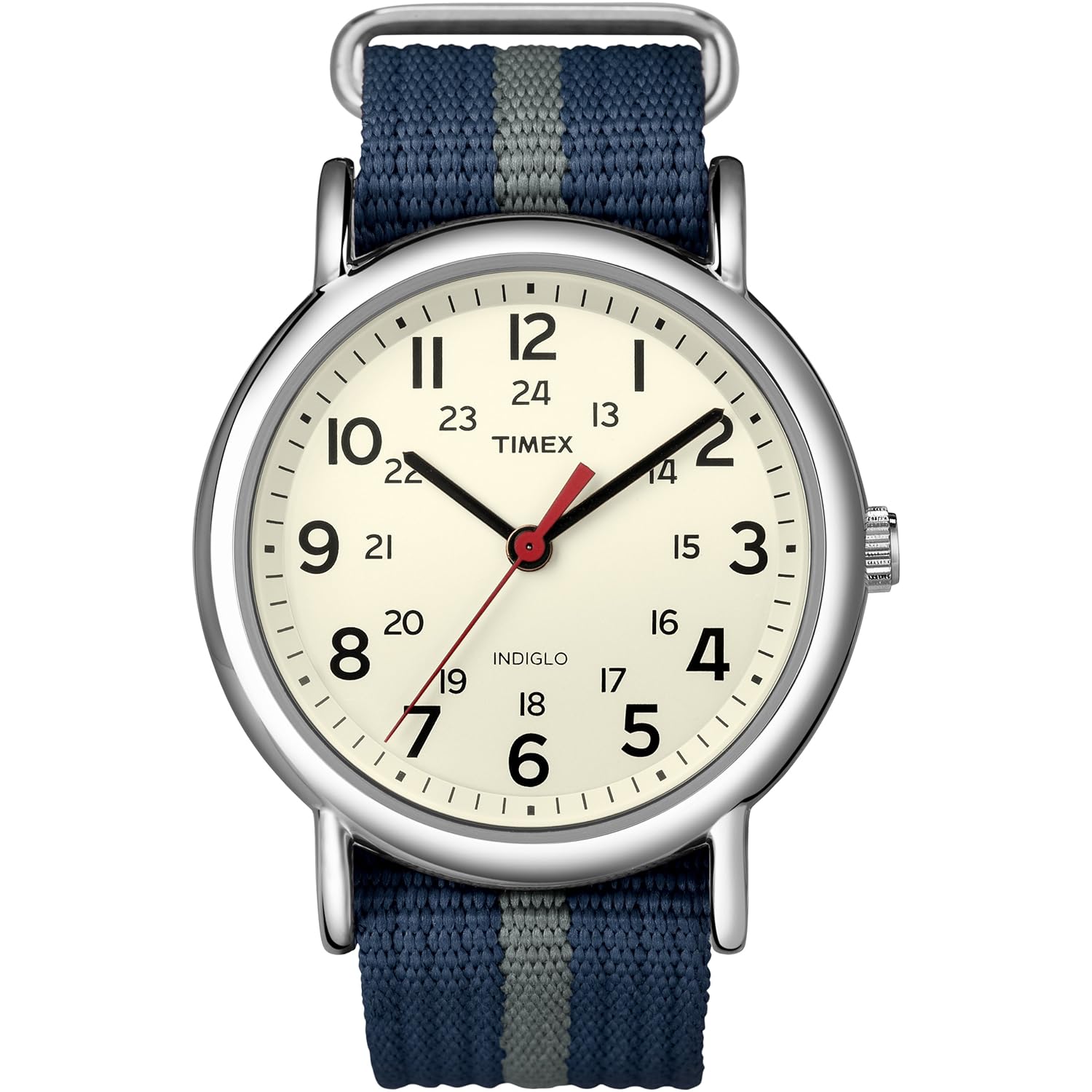
It's On Amazon: Timex Weekender Slip Through Strap Watch


As I mentioned in my Watch Primer post about affordable watches on Watches to Wear, Timex is a great, dependable brand when it comes to affordable, workhorse timepieces.  As their collaboration model with J. Crew has demonstrated - both by it's popularity and exorbitant-for-a-Timex $150 price tag - the military watch on nylon strap is a versatile and stylish combination that can look good with work attire as easily as it does with jeans and a t-shirt.  There's a line of watches available for $30 on Amazon that can fill the same niche in your watch box for only 1/5th of the price.

Pictured above is my pick of the line: the T2N654KW, with off-white face and blue/gray NATO-style strap.  Really these models are inexpensive enough that you could easily buy both the white and black dialed versions. And - though I'll have to test it myself when I receive the watch in the mail - I suspect these models would dress up quite nicely if you swapped out the NATO for a respectable leather band of the same width (which, according to Amazon, is 20mm).

Tuesday, October 11, 2011

It's On Amazon: Iron Chef: The Official Book

In the already diverse world of food shows, Iron Chef's place is a distinctive one.  Back when Food Network was still a fledgling television channel without its current stable of celebrity chefs/cooks, it was this strange import from Japan that drew in audiences with its gladiator-like duels between culinary professionals.  Its popularity in the U.S. spawned the short-lived Iron Chef USA and the currently airing Iron Chef America, but to me no subsequent iteration has successful captured the unique entertainment value of the original Ryouri no Tetsujin.  It is one of the greatest disappointments in my life as a consumer that (as far as I know) this series has never been collected into DVD sets in either Japan or the United States.

Those who share my consternation (or just wonder where such a left-field TV show concept, even by Japanese TV standards, came from) might be interested in Iron Chef: The Official Book, which was released several years ago and is currently available as a bargain book on Amazon.


The book offers insight into the making of the Iron Chef series, with insights from the titular Iron Chefs, announcers, and production crew.  Among the enduring questions answered by the book: why, if every other voice was dubbed for U.S. audiences, was the Chairman (the inimitable Takeshi Kaga) subtitled?  If that mystery has been niggling at you for years, you'll find the answer here.


Monday, September 26, 2011

It's On Amazon #001: Mimo UM-720S Touchscreen USB-Powered Portable Monitor

This post is the first in a series I'm calling "What's On Amazon," which will feature a product available on Amazon.com which I've purchased (usually from Amazon as well) and highly recommend.  These posts acknowledge that, while virtually anything you can think of or hope to find in a brick-and-mortar store is available on Amazon these days, that same massive selection can make it difficult to know exactly what goodies are for sale there, unless you actively search for them or are lucky enough to have them pop up in your recommendations.  "What's On Amazon" seeks to help fill that gap.

First up on "What's On Amazon":


This is a MIMO USB-powered 7" portable LCD monitor.  It uses DisplayLink technology to connect to your computer via USB alone--no VGA plugs or AC adapters needed.

It folds down so that the stand functions as a screen protector, and at 7.25" x 5" x less than 1", it's superbly packable:

As with nearly all my electronics, it has anime-related decals.

DisplayLink is plug-and-play for Windows 7 and Mac OS X Lion, as the MIMO works perfectly as a fourth (yes, fourth) monitor for my desktop and a secondary monitor for my MacBook Air.  I used to have a first generation Asus Eee PC Surf, so I've dealt with 7-inch displays before, and while the screen real estate is a bit cramped as a primary monitor, it works fine as a secondary one that you can use to refer to another document while working on your main screen, for playing videos, or as a dedicated mini screen for iTunes or uTorrent:

The MIMO is a perfect size for a dedicated iTunes screen.

It's also great for torrent clients like uTorrent.  
As of late, I've been positioning various settings windows on it while working on my doujinshi in Manga Studio 4.

The only critique I can level at the MIMO is that it could use a touchscreen interface, especially when I'm using it to display the settings windows from Manga Studio.  I've caught myself more than once trying to tap the screen with my Cintiq's pen to adjust the settings.  The virtually identical MIMO UM-720S model addresses this problem by adding touchscreen capability: